
Extracting audio from video files is a common requirement for various purposes, such as creating podcasts, ringtones, or background scores. AudioKies, a powerful tool designed for audio conversion, merging, extraction, and compression, makes this task incredibly simple and efficient.
In this tutorial, we will guide you through the process of extracting audio from video using AudioKies. Whether you are a beginner or an experienced user, this step-by-step guide will help you achieve high-quality audio extraction with ease.
How to Extract Audio from Video with AudioKies
AudioKies' extracting feature is a powerful and user-friendly tool that enables you to effortlessly extract audio from video files. With support for various video formats like MP4, AVI, MKV, FLV and more, AudioKies ensures compatibility and high-quality audio output. The intuitive interface allows you to easily select your video file, choose the desired audio format, and extract the audio with just a few clicks. In this section, we'll guide you through the steps to extract audio from videos using AudioKies.
Step 1. Download and Install AudioKies
Click the below button to download AudioKies on your PC or Mac. Once downloaded, open the installer and follow the on-screen instructions to install AudioKies on your computer.


Step 2: Add Videos Files to AudioKies Software
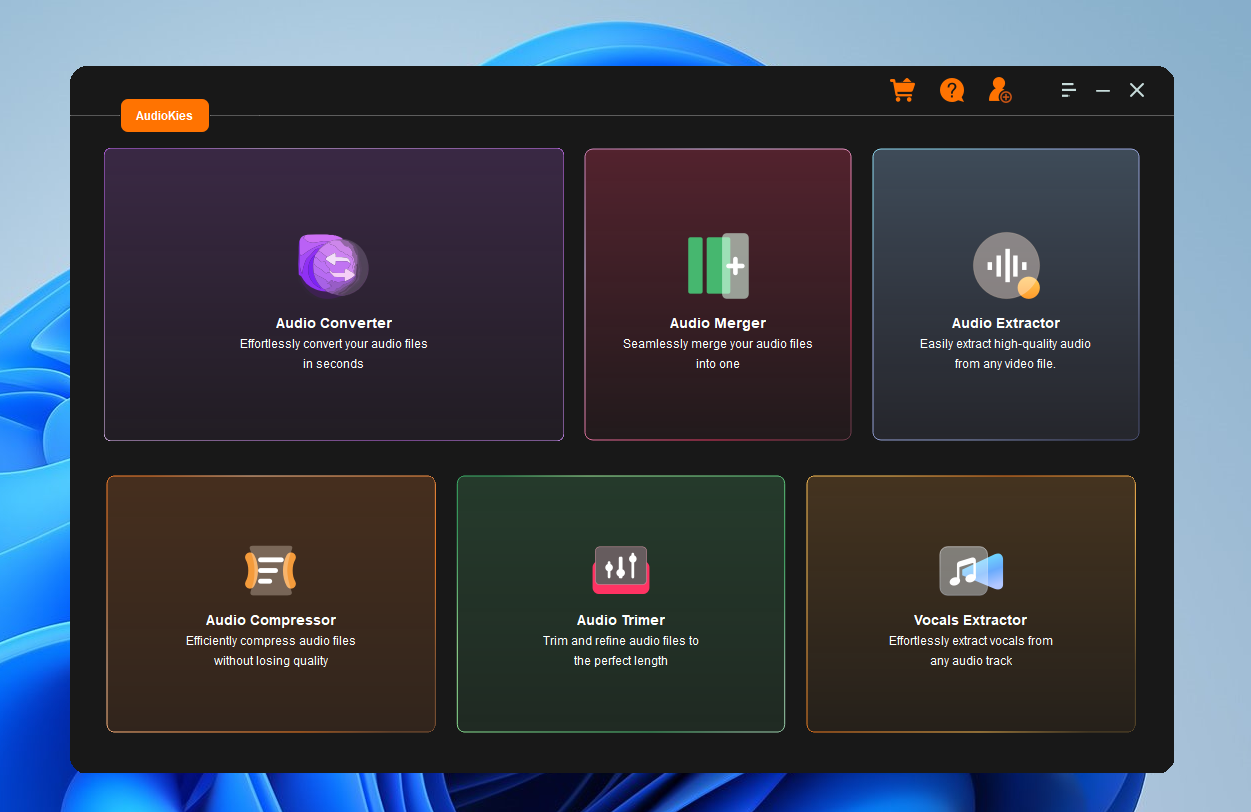
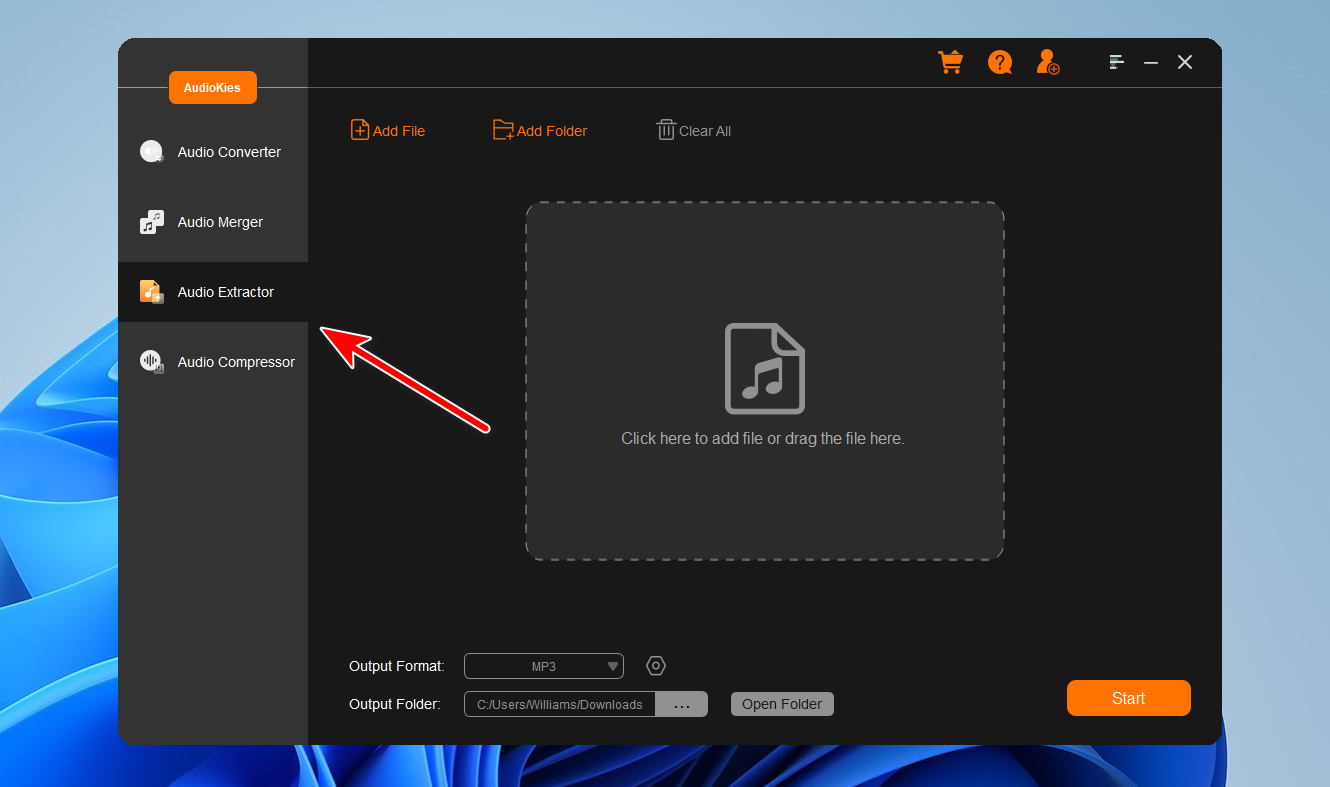
After installation, launch AudioKies by double-clicking the desktop icon. In the main interface of AudioKies, move to the "Audio Extractor" section and click on the "Add File" button. A file browser window will open. Navigate to the location of video files, select them, and click "Open" to add them to the AudioKies Software.
Step 3: Select An Output Audio Format
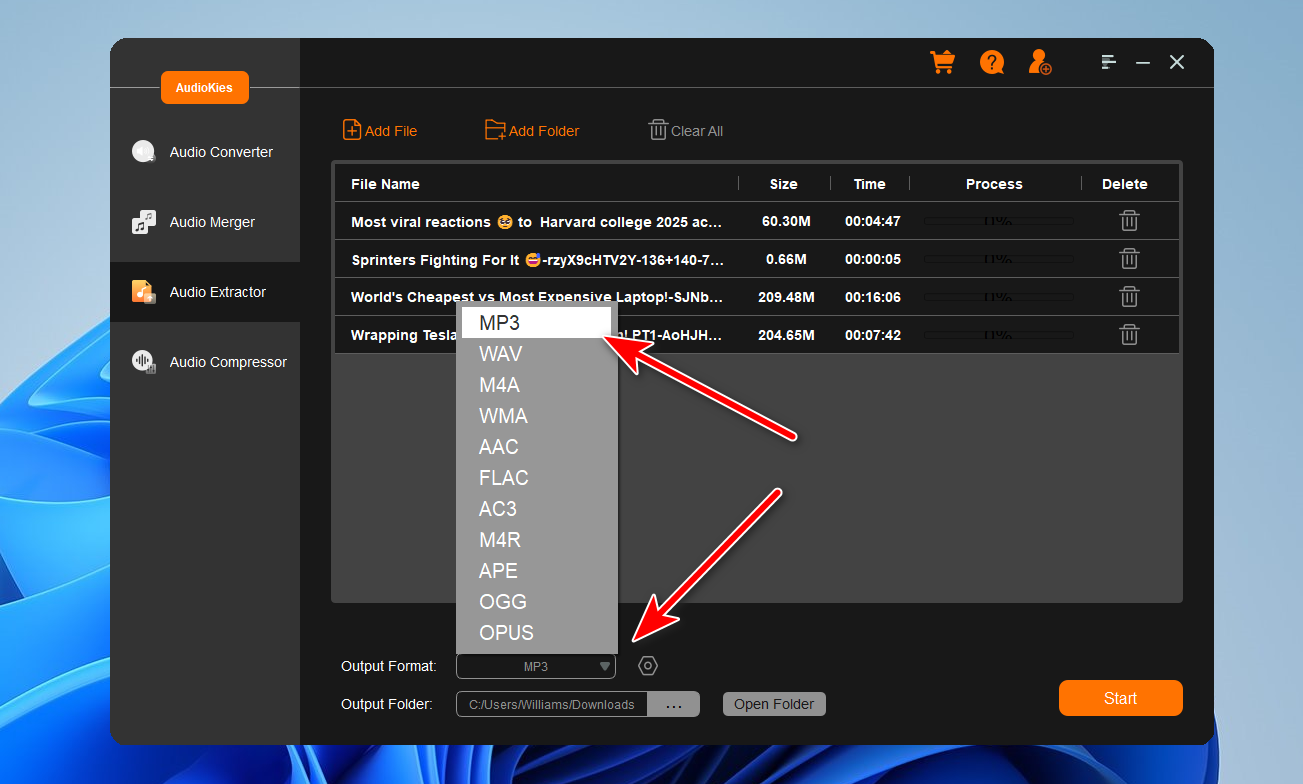
Once your files are added, click on the "Output Format" dropdown menu at the bottom of the window. In the profile list, select an audio type as the desired output format.
Step 4: Start Extracting Audio from Video
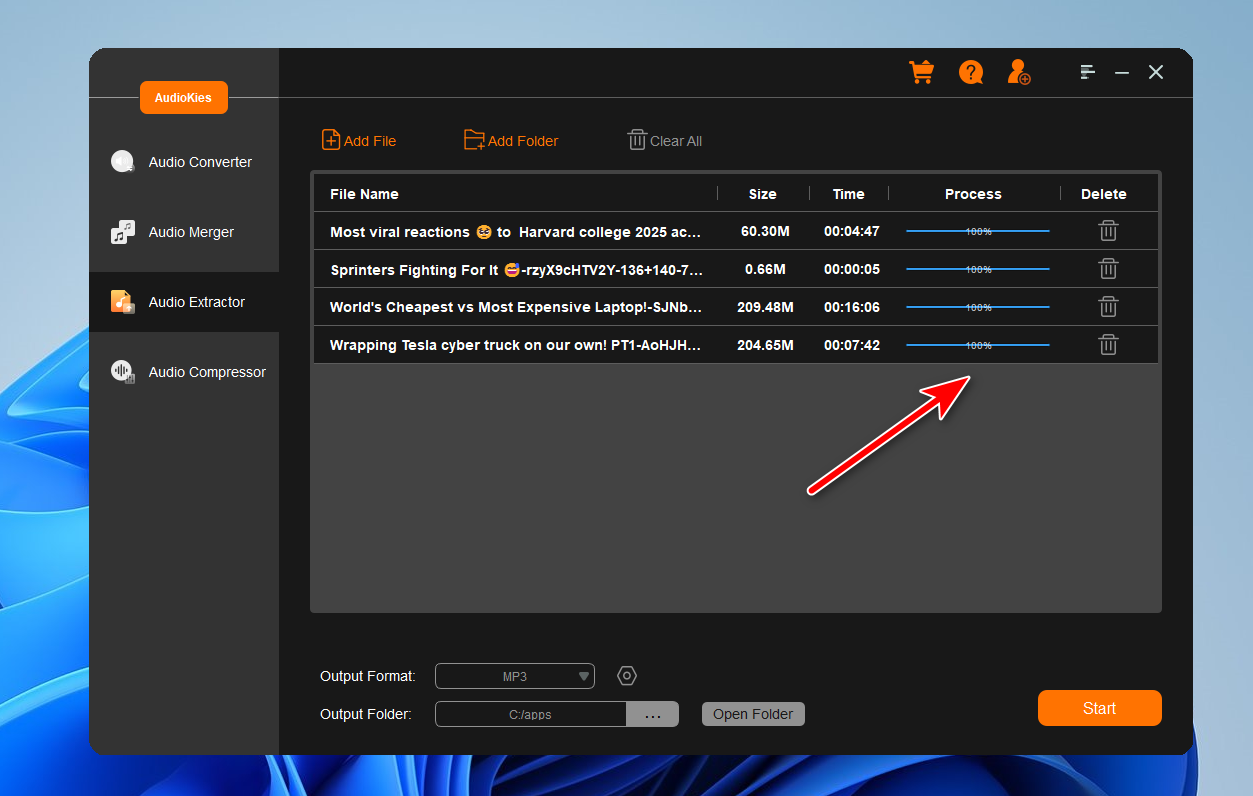
When everything is ready, click the "Start" button to extract audio from video files.
Summary
By following this tutorial, you have learned how to efficiently extract audio from video files using AudioKies. This powerful software not only simplifies the extraction process but also ensures that the audio quality remains top-notch. Now, you can effortlessly create audio tracks from your favorite videos and use them for various projects. Explore the additional features of AudioKies to further enhance your audio editing and conversion tasks. Happy extracting!