
Audio Converter
Convert individual files or entire batches across 300+ audio formats while keeping quality under control.
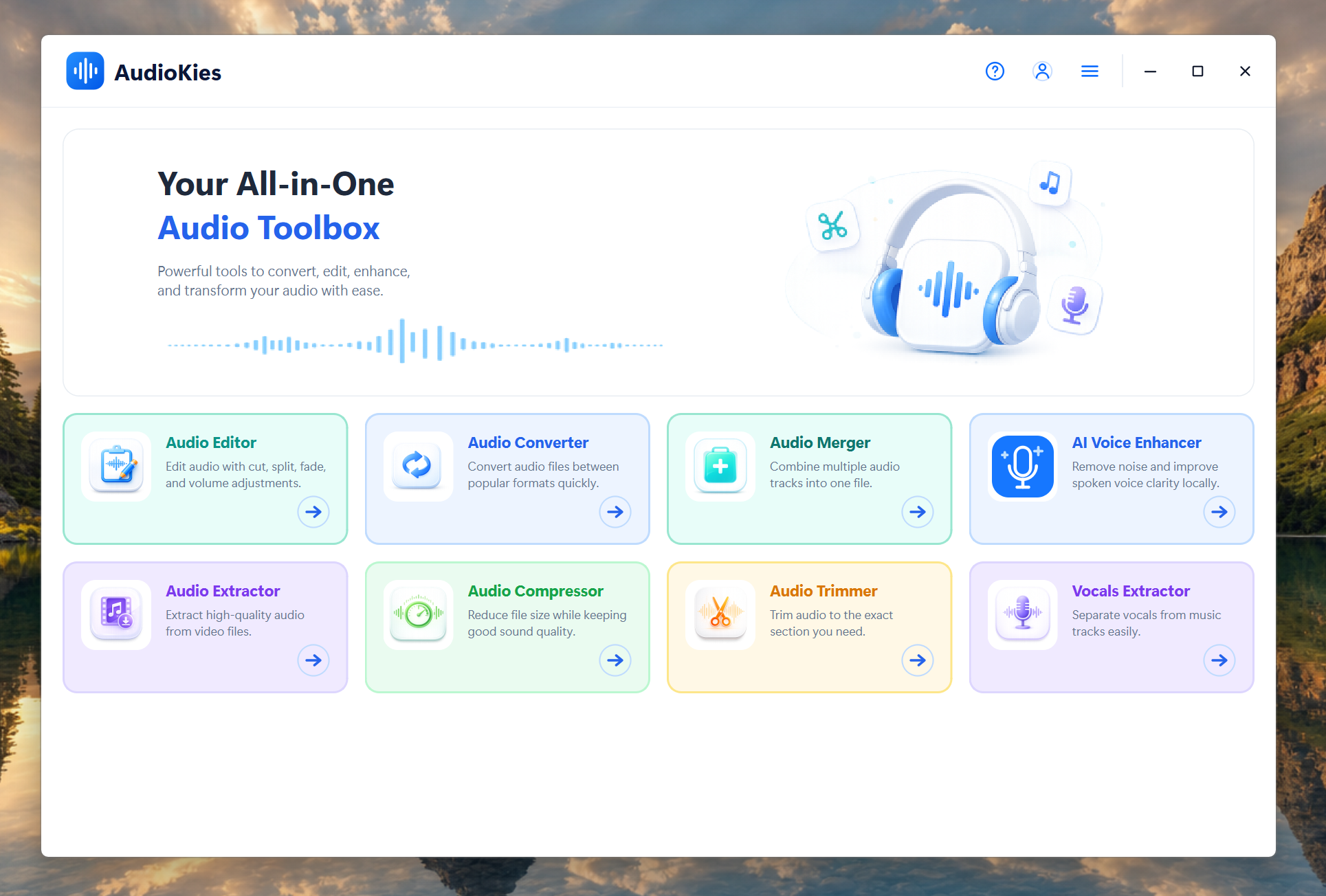
Convert, merge, compress, edit, trim, extract, enhance, and separate vocals without uploading your files. AudioKies gives you eight focused tools in one clean Windows workspace.
 300+ audio formats
 Private local processing
 Fast batch workflows
 Your files stay on your PC
Choose a task and get straight to work. Each tool has a focused interface, clear settings, and no unnecessary steps.
Convert individual files or entire batches across 300+ audio formats while keeping quality under control.

Combine multiple tracks in the exact order you want and export them as one seamless audio file.

Reduce file size for sharing, storage, and streaming with clear quality and output controls.

Edit and arrange audio with timeline-based controls for precise, flexible sound creation.

Pull clean audio tracks from video files for reuse, editing, archiving, or custom ringtones.

Cut the exact section you need, remove unwanted parts, and create clips without a complex editor.

Improve voice clarity, reduce distracting noise, and make spoken audio sound cleaner and more balanced.

Separate vocals and instrumentals for karaoke, remixes, practice tracks, and creative production.
AudioKies keeps every tool familiar: add your files, choose the settings you need, and start processing.
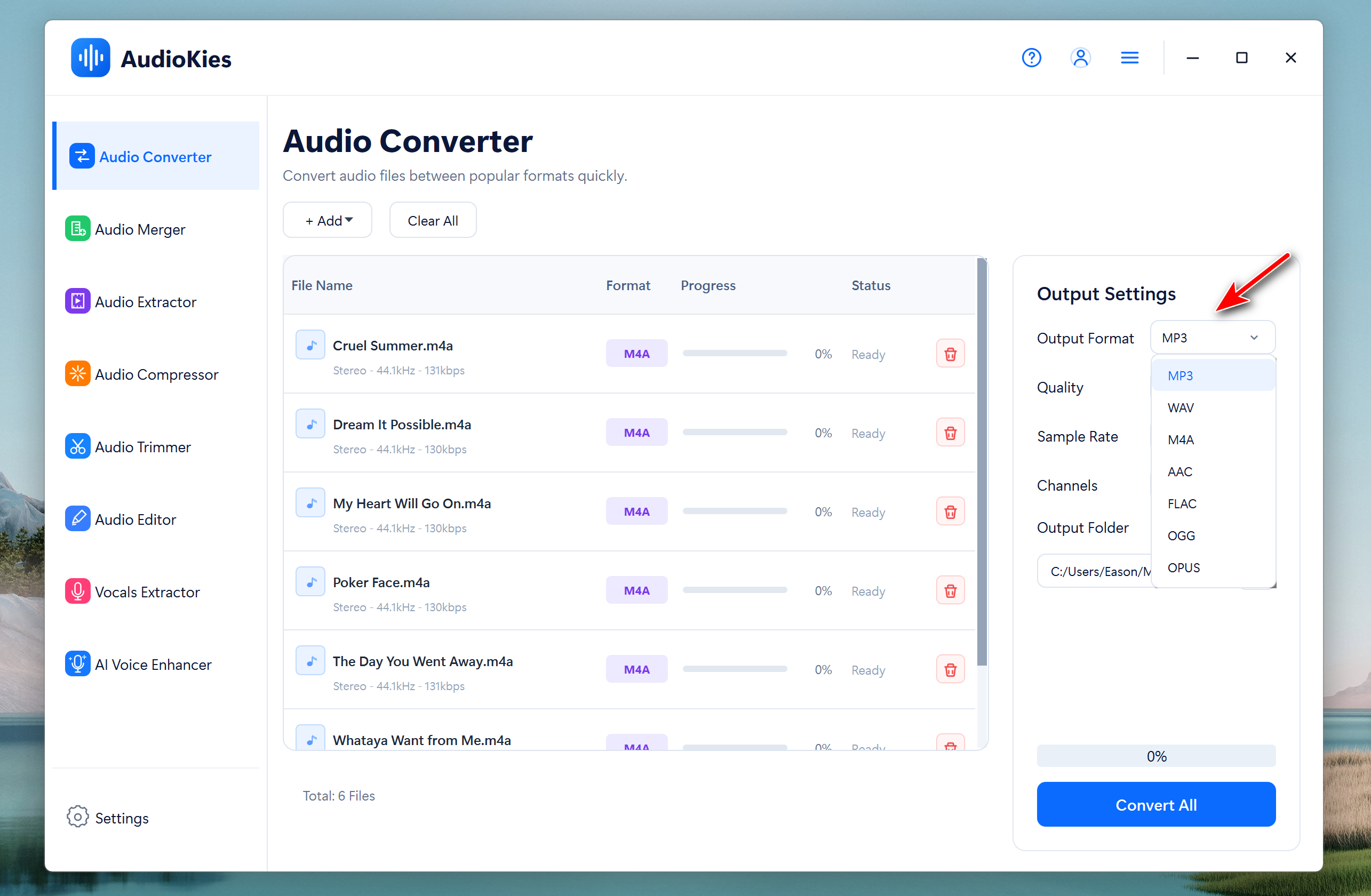
No online uploads, scattered utilities, or cluttered workflows. AudioKies keeps your most common audio tasks together.
Your audio stays on your computer, giving you more privacy and no upload wait.
Work with more than 300 common and professional audio formats.
Move between tools without learning a completely different interface each time.
Download AudioKies for free and start with the Converter, Merger, and Compressor. Upgrade whenever you are ready to unlock all eight tools.